FIM

iPhone / iPad · iOS 17.0+

Score the FIMright on your device.

Enter all 18 FIM items on a 1 to 7 scale, with notes at hand as you go. Results stay on your device and can be copied as text or exported as a PDF.

Scan with your iPhone

FIM

When it helps

What it does

  1. 01

    Notes while you score

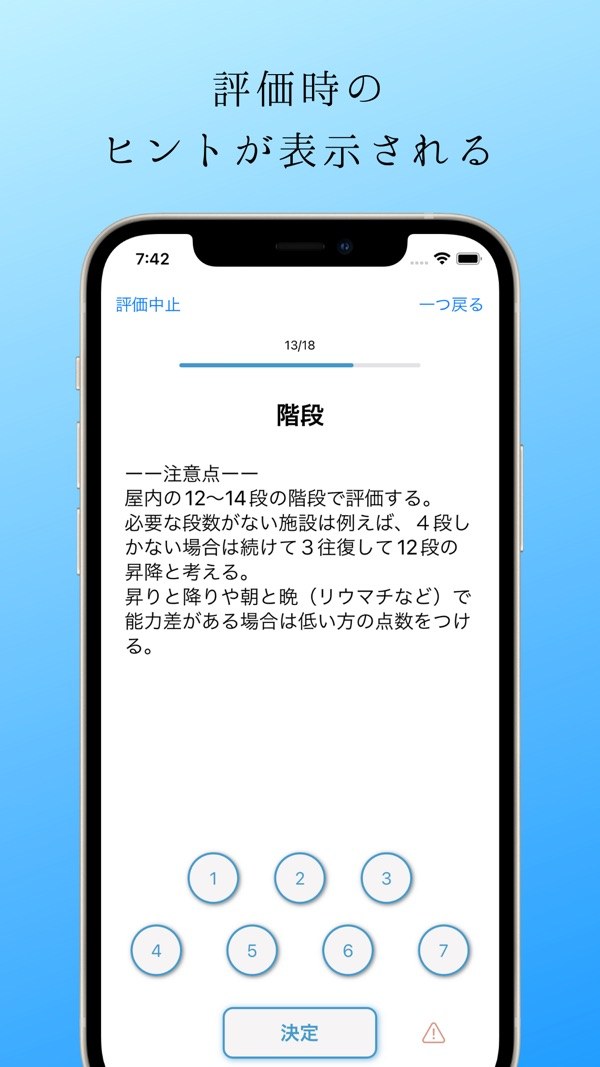
    Items appear one at a time, with notes and a description for each score from 1 to 7.

  2. 02

    Totals worked out for you

    The overall total and the motor and cognition totals are shown.

  3. 03

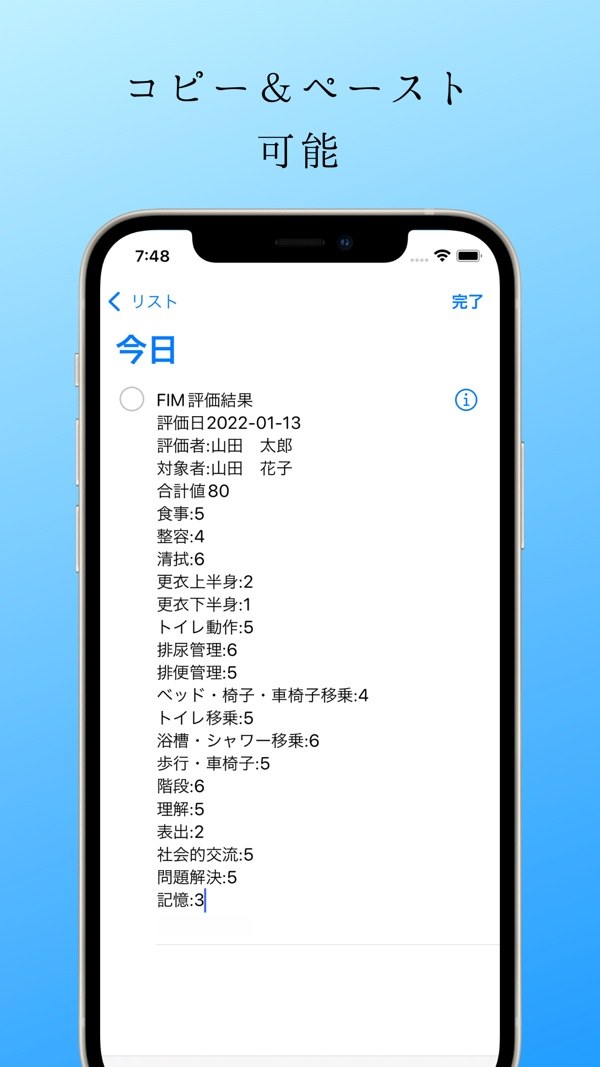
    Copy as text

    Copy the date, assessor, person and every item score as a single block of text.

  4. 04

    PDF export

    Export an assessment as a PDF.

  5. 05

    Organized by assessor and person

    Register people under each assessor and keep their results together, with past assessments in a list.

  6. 06

    Stored on your device

    Data is saved locally on the device, with no data communication.

In detail

Read the hints while you assess
01

Read the hints while you assess

The app walks through the FIM items one at a time. For each item you can read a notes panel and the description for every score from 1 to 7 before picking one. The screens are in Japanese.

  • Item name and progress shown on screen
  • Notes panel can be shown or hidden
  • Choose a score from 1 to 7
Copy the result as text
02

Copy the result as text

The assessment date, assessor, person assessed, the total and the score for every item are copied as a single block of text. Paste it into a notes app or a chart system.

  • Includes date, assessor and person's name
  • Total and all item scores listed
  • Notes when any item was left unscored
A list of assessments per person
03

A list of assessments per person

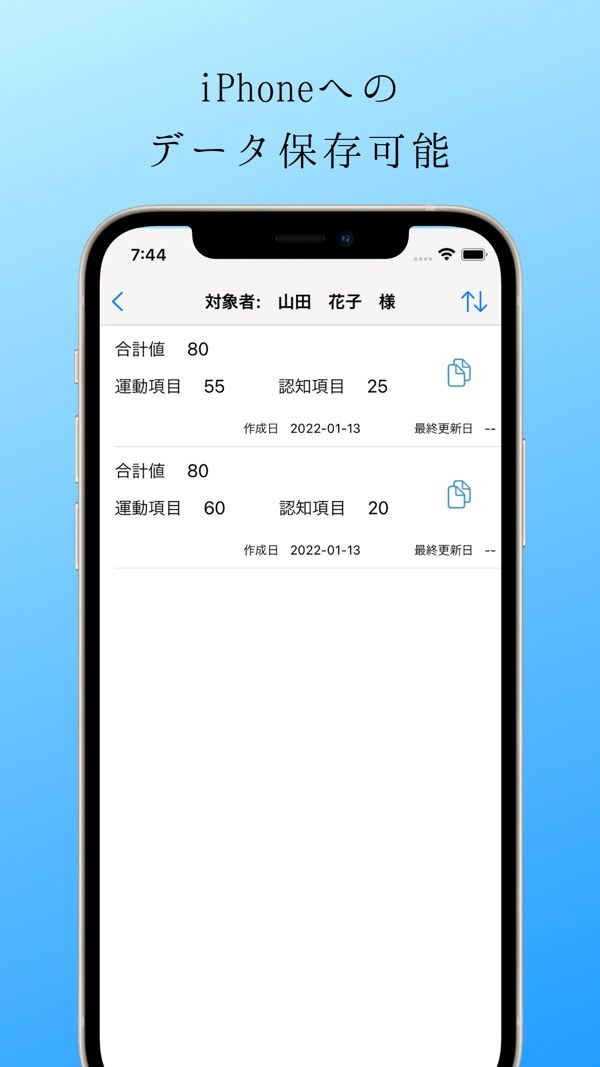
Pick a person and their earlier assessments are listed, with the total, the motor subtotal, the cognition subtotal and the date created.

  • Total, motor and cognition scores shown
  • Sort newest or oldest first
  • Copy or export a PDF from the list
04

Check the breakdown, edit a score

Open one assessment to see the overall total, the motor and cognition totals, and the score for each item grouped by category. You can edit the scores later and save.

  • Each item shown as score out of 7
  • Unscored items are marked
  • Export the result as a PDF
05

Assessors and people assessed

Register an assessor, then register people under that assessor. Names can be edited or deleted; deleting one also removes the people and results under it.

  • Organized as assessor, person, then results
  • Edit and delete supported

How it works

  1. 1

    Register an assessor

    On the first screen, add an assessor. Enter a name and save.

  2. 2

    Register a person to assess

    Choose the assessor, then add a person under that assessor.

  3. 3
    Pick a score for each item

    Pick a score for each item

    Select the person and open the assessment. Go through the 18 FIM items and choose a score from 1 to 7 for each. Open the notes panel when you need it.

  4. 4
    Check the result and copy it

    Check the result and copy it

    The result appears when the assessment is finished. Review it, then copy the text or export a PDF.

Screens

Notes shown while scoring an item
A result copied as text
Assessments listed for one person

FAQ

What is FIM?

FIM is a scale used when assessing a person's level of daily activity. In this app you enter a score from 1 to 7 for each of its 18 items, grouped into six categories: self-care, sphincter control, transfers, locomotion, communication and social cognition.

What does the app show and record?

It records the score you enter for each item and shows the overall total, the motor total and the cognition total. It does not display any interpretation or judgment of the scores.

Where is my data stored?

On your device. Data is saved locally, and no data communication takes place.

Can I move a result somewhere else?

A result can be copied as text, and it can also be exported as a PDF.

Can I fix a score after finishing?

Yes. Open a saved assessment and edit it. If you cancel in the middle of an assessment, that session's input is not saved.

Will data from an older version carry over?

Yes. Assessment data saved so far carries over as it is. The current version requires iOS 17.0 or later.

What does it cost, and what does it run on?

The download is free. It works on iPhone and iPad running iOS 17.0 or later.

Which languages does it support?

The app screens are in Japanese.

Make your next assessment paperless.

Download on the App Store
FIMGet